2023-08-19 22:42:25 +02:00
FaceFusion
==========
> Next generation face swapper and enhancer.
2023-08-20 00:59:01 +02:00
[](https://github.com/facefusion/facefusion/actions?query=workflow:ci)
2023-08-20 16:26:33 +02:00

2023-08-19 22:42:25 +02:00
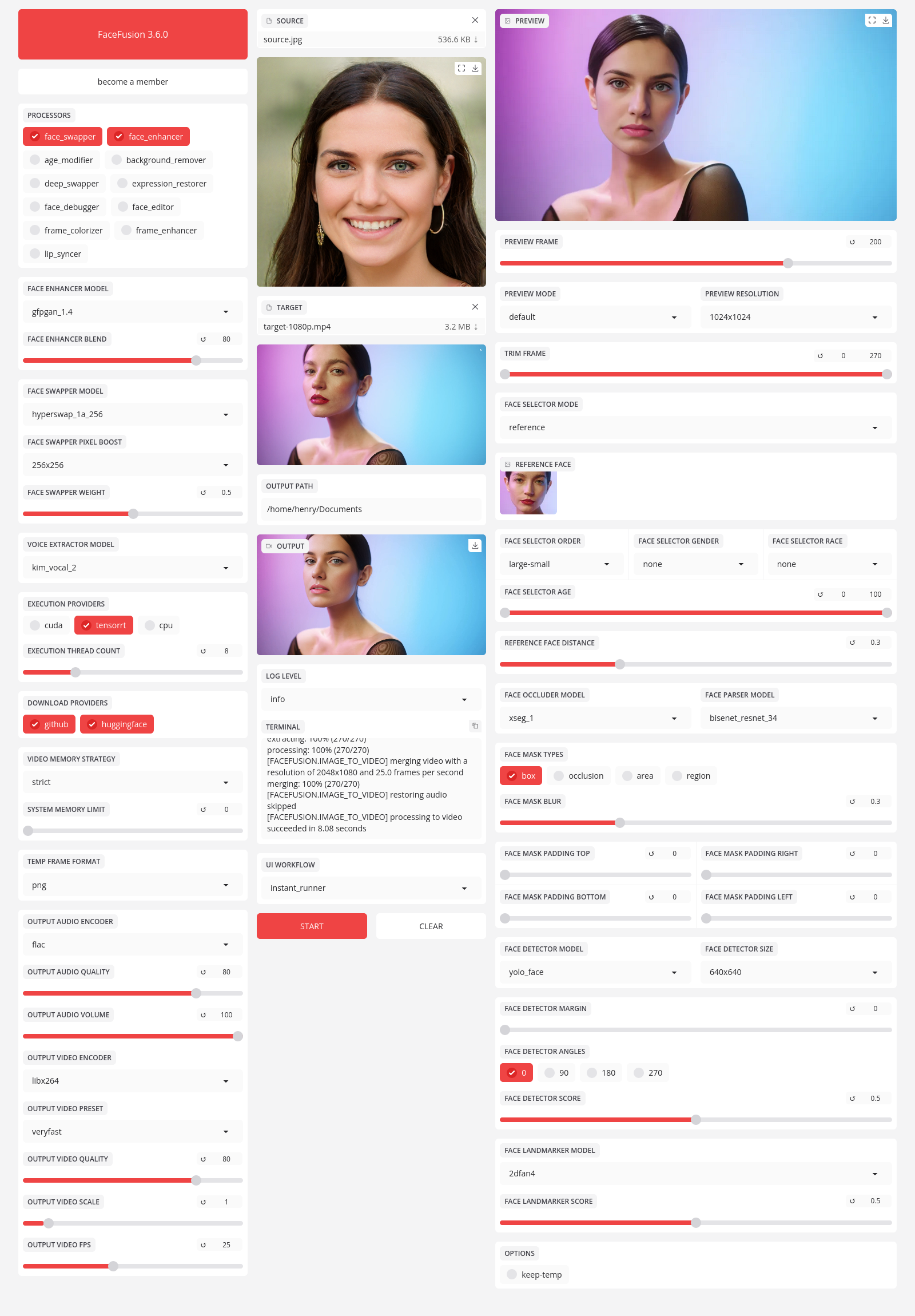
Preview
-------
Installation
------------
2023-11-28 17:29:24 +01:00
Be aware, the installation needs technical skills and is not for beginners. Please do not open platform and installation related issues on GitHub. We have a very helpful [Discord ](https://join.facefusion.io ) community that will guide you to complete the installation.
2023-08-19 22:42:25 +02:00
2023-11-28 17:29:24 +01:00
Get started with the [installation ](https://docs.facefusion.io/installation ) guide.
2023-08-19 22:42:25 +02:00
Usage
-----
2023-09-19 11:21:18 +02:00
Run the command:
2023-08-19 22:42:25 +02:00
```
python run.py [options]
2023-10-09 10:16:13 +02:00
options:
2023-11-28 17:29:24 +01:00
-h, --help show this help message and exit
2023-12-20 00:00:32 +01:00
-s SOURCE_PATHS, --source SOURCE_PATHS select a source image
2023-11-28 17:29:24 +01:00
-t TARGET_PATH, --target TARGET_PATH select a target image or video
-o OUTPUT_PATH, --output OUTPUT_PATH specify the output file or directory
-v, --version show program's version number and exit
2023-10-09 10:16:13 +02:00
misc:
2023-11-28 17:29:24 +01:00
--skip-download omit automate downloads and lookups
--headless run the program in headless mode
2023-12-20 00:00:32 +01:00
--log-level {error,warn,info,debug} choose from the available log levels
2023-10-09 10:16:13 +02:00
execution:
2023-12-20 00:00:32 +01:00
--execution-providers EXECUTION_PROVIDERS [EXECUTION_PROVIDERS ...] choose from the available execution providers (choices: cpu, ...)
2023-11-28 17:29:24 +01:00
--execution-thread-count [1-128] specify the number of execution threads
--execution-queue-count [1-32] specify the number of execution queries
2024-01-19 19:57:48 +01:00
memory:
--video-memory-strategy {strict,moderate,tolerant} specify strategy to handle the video memory
--system-memory-limit [0-128] specify the amount (gb) of system memory to be used
2023-11-28 17:29:24 +01:00
face analyser:
--face-analyser-order {left-right,right-left,top-bottom,bottom-top,small-large,large-small,best-worst,worst-best} specify the order used for the face analyser
--face-analyser-age {child,teen,adult,senior} specify the age used for the face analyser
--face-analyser-gender {male,female} specify the gender used for the face analyser
--face-detector-model {retinaface,yunet} specify the model used for the face detector
--face-detector-size {160x160,320x320,480x480,512x512,640x640,768x768,960x960,1024x1024} specify the size threshold used for the face detector
--face-detector-score [0.0-1.0] specify the score threshold used for the face detector
face selector:
--face-selector-mode {reference,one,many} specify the mode for the face selector
--reference-face-position REFERENCE_FACE_POSITION specify the position of the reference face
--reference-face-distance [0.0-1.5] specify the distance between the reference face and the target face
--reference-frame-number REFERENCE_FRAME_NUMBER specify the number of the reference frame
face mask:
2023-12-20 00:00:32 +01:00
--face-mask-types FACE_MASK_TYPES [FACE_MASK_TYPES ...] choose from the available face mask types (choices: box, occlusion, region)
2023-11-28 17:29:24 +01:00
--face-mask-blur [0.0-1.0] specify the blur amount for face mask
--face-mask-padding FACE_MASK_PADDING [FACE_MASK_PADDING ...] specify the face mask padding (top, right, bottom, left) in percent
2023-12-20 00:00:32 +01:00
--face-mask-regions FACE_MASK_REGIONS [FACE_MASK_REGIONS ...] choose from the available face mask regions (choices: skin, left-eyebrow, right-eyebrow, left-eye, right-eye, eye-glasses, nose, mouth, upper-lip, lower-lip)
2023-10-09 10:16:13 +02:00
frame extraction:
2023-11-28 17:29:24 +01:00
--trim-frame-start TRIM_FRAME_START specify the start frame for extraction
--trim-frame-end TRIM_FRAME_END specify the end frame for extraction
2024-01-19 19:57:48 +01:00
--temp-frame-format {jpg,png,bmp} specify the image format used for frame extraction
2023-11-28 17:29:24 +01:00
--temp-frame-quality [0-100] specify the image quality used for frame extraction
--keep-temp retain temporary frames after processing
2023-10-09 10:16:13 +02:00
output creation:
2023-11-28 17:29:24 +01:00
--output-image-quality [0-100] specify the quality used for the output image
--output-video-encoder {libx264,libx265,libvpx-vp9,h264_nvenc,hevc_nvenc} specify the encoder used for the output video
2024-01-19 19:57:48 +01:00
--output-video-preset {ultrafast,superfast,veryfast,faster,fast,medium,slow,slower,veryslow} specify the preset used for the output video
2023-11-28 17:29:24 +01:00
--output-video-quality [0-100] specify the quality used for the output video
2024-01-19 19:57:48 +01:00
--output-video-resolution OUTPUT_VIDEO_RESOLUTION specify the resolution used for the output video
--output-video-fps OUTPUT_VIDEO_FPS specify the frames per second (fps) used for the output video
2023-11-28 17:29:24 +01:00
--skip-audio omit audio from the target
2023-10-09 10:16:13 +02:00
frame processors:
2023-11-28 17:29:24 +01:00
--frame-processors FRAME_PROCESSORS [FRAME_PROCESSORS ...] choose from the available frame processors (choices: face_debugger, face_enhancer, face_swapper, frame_enhancer, ...)
2023-12-20 00:00:32 +01:00
--face-debugger-items FACE_DEBUGGER_ITEMS [FACE_DEBUGGER_ITEMS ...] specify the face debugger items (choices: bbox, kps, face-mask, score)
2023-11-28 17:29:24 +01:00
--face-enhancer-model {codeformer,gfpgan_1.2,gfpgan_1.3,gfpgan_1.4,gpen_bfr_256,gpen_bfr_512,restoreformer} choose the model for the frame processor
2023-12-20 00:00:32 +01:00
--face-enhancer-blend [0-100] specify the blend amount for the frame processor
2023-12-15 23:07:31 +01:00
--face-swapper-model {blendswap_256,inswapper_128,inswapper_128_fp16,simswap_256,simswap_512_unofficial} choose the model for the frame processor
2023-11-28 17:29:24 +01:00
--frame-enhancer-model {real_esrgan_x2plus,real_esrgan_x4plus,real_esrnet_x4plus} choose the model for the frame processor
2023-12-20 00:00:32 +01:00
--frame-enhancer-blend [0-100] specify the blend amount for the frame processor
2023-10-09 10:16:13 +02:00
uis:
2023-11-28 17:29:24 +01:00
--ui-layouts UI_LAYOUTS [UI_LAYOUTS ...] choose from the available ui layouts (choices: benchmark, webcam, default, ...)
2023-08-19 22:42:25 +02:00
```
Documentation
-------------
2023-08-20 21:36:03 +02:00
Read the [documentation ](https://docs.facefusion.io ) for a deep dive.